TierMaker Alternative — Tier List Maker Without Ads or Forced Accounts
TierMaker is the biggest tier list site on the internet — but it comes with trade-offs: ads, a mandatory account for some features, public templates, and no privacy guarantee for your images. This comparison shows exactly where tier-listmaker.com is different: fully private, fully free, no account ever, no image uploads to a server. It's not a direct replacement — TierMaker has a huge template library. But if you want a fast, private, ad-free tier list maker for your own images or text, this is the better choice.
Feature Comparison: tier-listmaker.com vs TierMaker
| Feature | tier-listmaker.com | TierMaker |
|---|---|---|
| Price | Free | Free (ads) / Paid ad-free |
| Login required | Never | Required for saving |
| Image privacy | 100% local — never uploaded | Uploaded to TierMaker servers |
| Ads | None | Yes (free tier) |
| Watermark | None | None |
| Custom images | Yes — unlimited | Yes |
| Pre-made templates | Yes — 100+ free templates, or bring your own items | Millions |
| Export format | PNG | PNG |
| Mobile support | Yes | Yes |
| Languages | EN, PT, JA, DE, ES, FR, IT | EN only |
When to Choose tier-listmaker.com
- When privacy matters — no image uploads, everything stays in your browser.
- When you want a tier list maker with no ads.
- When you want full customization control over tiers, colors, and labels.
- When you want multilingual support (EN, PT, JA, DE, ES, FR, IT).
- When you're on a school or work network that blocks bigger sites.
When TierMaker Is the Better Choice
- When you want community templates for a specific game or fandom.
- When you want others to remix your template.
- When you want a public community voting feature.
How to Switch From TierMaker to This Tier List Maker
- Download the images from your TierMaker template.
- Open the Image Tier List Maker.
- Upload the images into the library.
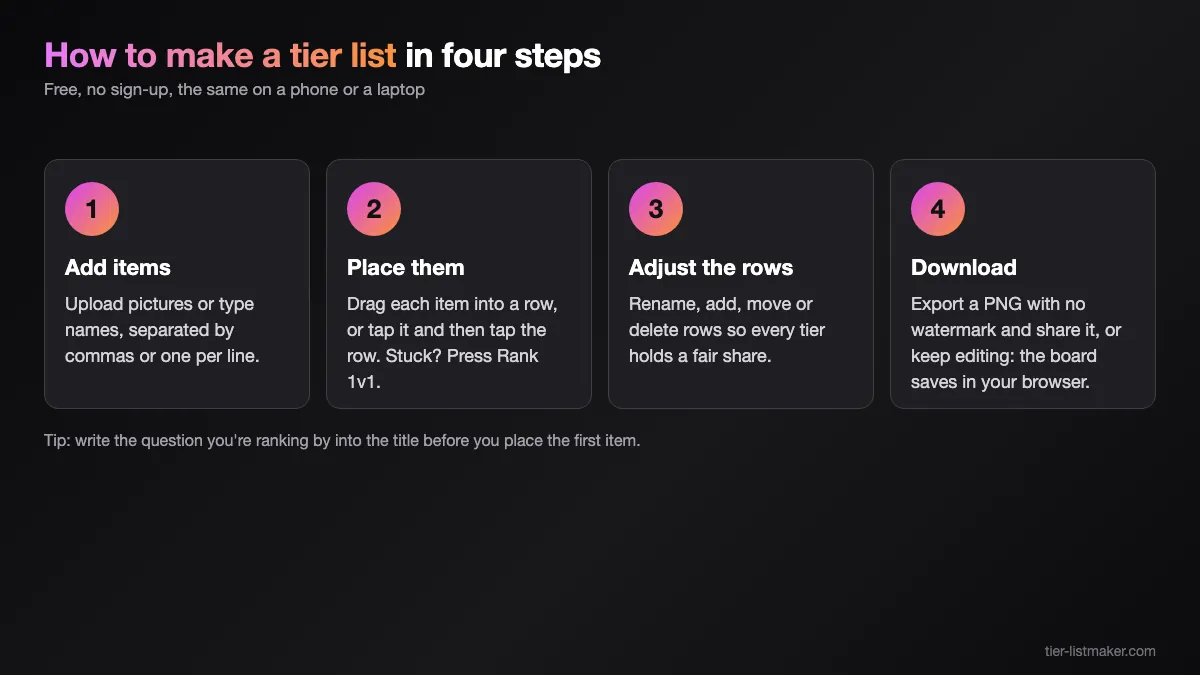
- Drag each image into the right tier and click Download.
Which Tool on This Site Fits Your Tier List?
Use a template when your topic is already on the site, the image maker when looks matter, and the text maker when names are enough; all of them export a PNG with no watermark. This table matches common jobs to the right page.
| What you want to do | Where to go |
|---|---|
| Rank a game roster or a popular topic | Tier list templates, with the names pre-loaded |
| Rank pictures you already have | Image tier list maker: upload several at once or paste from the clipboard |
| Rank names, songs or ideas | Text tier list maker: paste names separated by commas or one per line |
| Print a list for a class or a group | Blank tier list, with an A4 print download |
| Rank when you can't decide | Rank 1v1, in both makers: pick the better of two items at a time |
Tier lists started as a way to rank game characters by tournament strength (Wikipedia), and every tool here keeps that S to D layout while letting you rename, add or remove rows.
Frequently Asked Questions
Is this a free TierMaker alternative?
Yes — tier-listmaker.com is fully free, with no sign-up, no watermark, and no ads.
Can I use TierMaker templates here?
Yes. Download the images from any TierMaker template, then upload them into the Image Tier List Maker here and rank them.
Does this tier list maker have ads?
Never. No banners, no popups, no pre-roll, no upsells.
What other tiermaker alternatives exist?
Tools like tierbuddy.com, tierlists.com, and tierlistmaker.online — but none of them combine no-login, no-watermark, multilingual support, and 100% local image privacy in a single free tool.
Can I move a tier list I made somewhere else onto this site?
Yes, by rebuilding it quickly. For names, paste the whole list into the text tier list maker, separated by commas or one per line, and every name becomes a chip. For pictures, upload several images at once in the image maker or paste them from your clipboard, then drag them into the rows.